
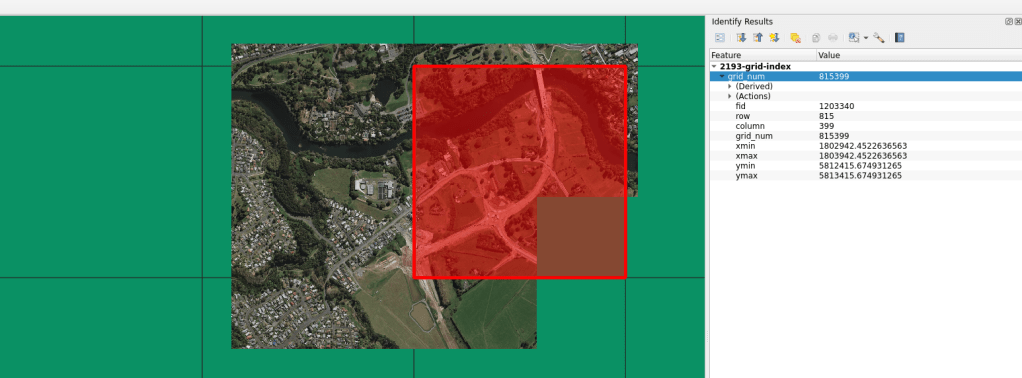
There are times when I need a regular grid for an entire projection extent. Meaning, for the extent of an entire projection, I need to create a regular grid of uniform tiles across the projection. In past projects, these grids have been very helpful for data alignment and clipping data into uniform shapes and sizes. This has proved especially helpful in Machine Learning pipelines where I need to ensure pixel to pixel alignments between rasters in a specified location.
Gridding, tiling, and indexing type work has been around forever in geospatial, so there is not much to say about the method. Basically, you take an extent and cut it up into a grid. In this case, the extent is for an entire projection.
I built a repository on Github and a quick method to do this via one command.
make build-grid epsg="EPSG:2193" width=1000 height=1000
For this method, the width and height are the desired grid cell size. The units are the units for the projection. EPSG:2193 (NZTM) is in metre units, so running the command above will make a grid of the NZTM projection populated with 1000m by 1000m cells.
The GitHub repository can be run using the Make/Docker method or users can access the python script directly using:
python3 create-grid.py EPSG:2193 1000 1000
In order to do so, you will need to have installed:
- GDAL
- GeoPandas
- PyProj
- Shapely
Happy mapping!




 XYCarto